


Preferences - Show
In the screen of the menu Options\preferences you can choose which group to show when you start up MesNews also manage how to show the URL's :
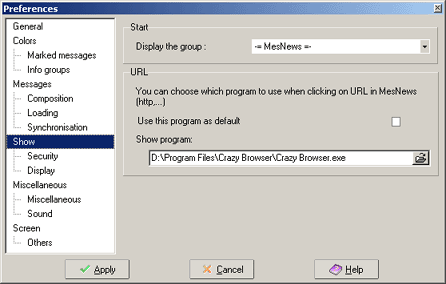
zone Start :
Fill in the name of the group you want MesNews to open automatically when starting up the program. The list shows all the groups you are subscribed to.
zone URL :
Here you can choose the program you want to be used for opening an URL when clicking it. (links that start with Http:// .)
- Use this program as default : when ticked the default software is used to open the URL's.
- Show program : when you unticked previous box you can select a program to open your URL's. Default the program that was set in Windows to open http links will be used.